AI-STAFFS · OPEN MULTI-AGENT ENGINE

Ship real, working software with a team of AI Staffs.

ohmyaistaffs turns a plain-language request into a spec, a UI, and a compiled, tested application — running in your browser before the meeting is over. Self-hosted as a single binary, so there's no vendor infra to trust or babysit. Free to use.

$ curl -fsSL https://ohmyaistaffs.io/install.sh | bash

1,280+ installs and counting

app.ohmyaistaffs.io
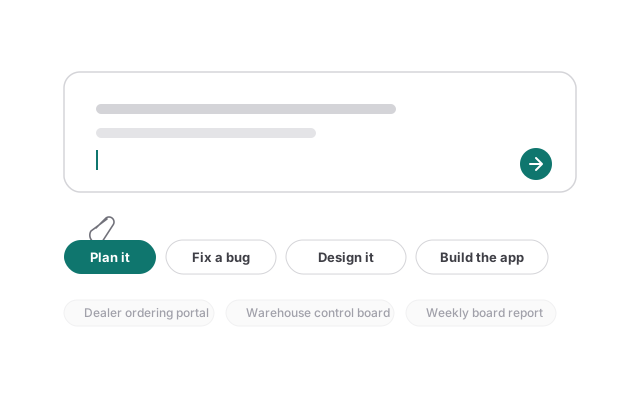
Illustration of the project composer: a single input box with an attach icon, a send button, and scope-level options underneath
One box, not a form. Paste a folder or a git link to attach it, hit enter to send — no project name or product type to pick first.
01

Describe the outcome

One sentence is enough. Attach a folder or repo if there's existing context to work from.

02

Agents clarify, then build

A short round of questions settles what would otherwise become silent assumptions in the code.

03

You get a running app

Compiled, tested, and started on a real port — open it in a tab, or download the whole workspace.

INSIDE A RUN

A gamified floor, not a spinner.

app.ohmyaistaffs.io/office
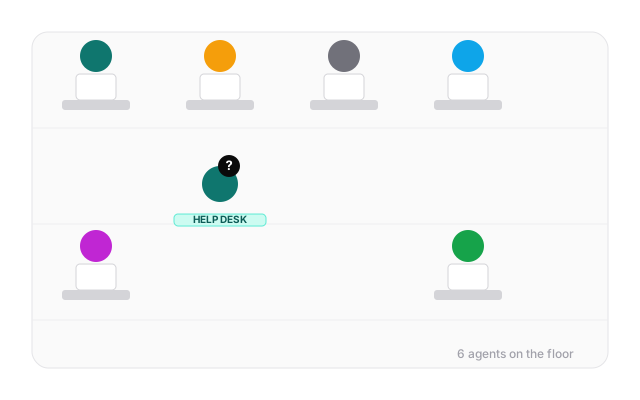
Illustration of a gamified office floor: agents sit at desks; one stands at a help desk with a question mark, waiting on a reply
Every agent has a desk. The one waiting on you stands at the help desk with a ? — click it to answer right away.
app.ohmyaistaffs.io/board
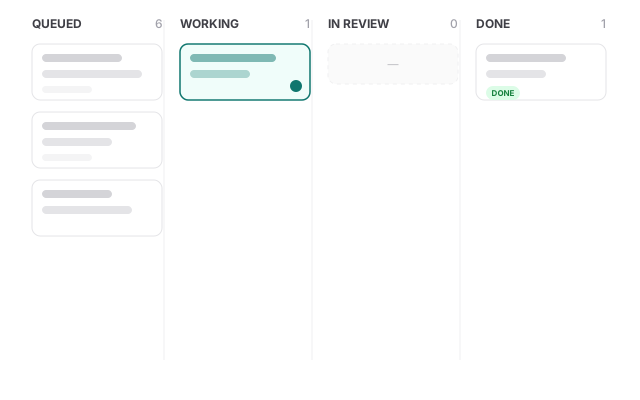
Illustration of a task board with Queued, Working, In review, and Done columns
Tasks generated at runtime. No screen name is hardcoded — T-02, T-03… grow from the actual plan and move Queued → Working → In review → Done.
WHY IT HOLDS UP

Judgment stays with the model. Compiling stays with code.

The model decides what tables exist, which state transitions are valid, what a screen should show. The generator (internal/appgen) is what has to compile — a template can be forced through go build and go test; a prompt can't.

Runtime task planning

Nothing about screen count or names is hardcoded. The design agent decides how many screens a product needs and what to call them; the plan grows a task for each one, in the design phase and again in the build phase — reviewed by a different agent before it closes.

Cost, per agent, live

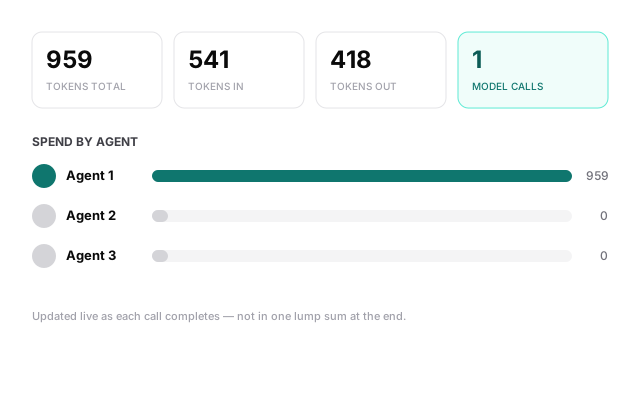
Tokens in and out are logged the moment the provider reports them, so the number on an agent's desk climbs while it works — not in one jump when the task closes.

A design system, not vibes

13 color roles, a type scale, and a spacing step — generated once as CSS and reused across every screen, so six screens read as one product instead of six.

15+ model providers, no lock-in

Anthropic, OpenAI, Bedrock, Vertex, Azure, OpenRouter, Ollama and more speak the same OpenAI-compatible protocol under one implementation. No key on this machine? It uses a signed-in CLI tool instead.

Runs your existing codebase, too

Point it at a real repo instead of a blank project: it reads how to start it — npm run dev, go run ./cmd/x, manage.py runserver — and hands you back a live endpoint.
app.ohmyaistaffs.io/cost
Illustration of a cost dashboard: total tokens, tokens in/out, model calls, and spend broken down per agent
Nothing hidden in a monthly invoice. Every call is attributed to the agent that made it, visible while the project runs.

Bring your own model

No key configured? It checks for a signed-in CLI tool instead — and always says which one it picked.

Anthropic API Claude Code CLI Bedrock Vertex AI OpenAI Azure OpenAI Gemini OpenRouter Groq DeepSeek Mistral xAI Ollama LM Studio

Answers can be corrected, cheaply or not

  • An answer that hasn't been used yet can simply be edited, right in the interview.
  • Once a document was written from it, editing means the agent rewrites that document and whatever was built on it.
  • While an agent is actively using an answer, the UI blocks the edit and says exactly what it's waiting on.
  • The "finalize" button only appears when finalizing is actually possible — otherwise it's a status line with a spinner.

From request to running app

request → clarifying questions → spec & workflow
→ UI screens → real application code
→ compile → test → open a port → open the browser

On a recent real run, the agents surfaced 7 questions worth asking back — like how costs should be re-split when a member joins mid-month — the kind of thing that otherwise becomes a silent assumption baked into the code.

FREE TO USE

Install it from the command line — no license key, no account.